The Definitive Guide to Bulk Broadcast WhatsApp Messages (2026)
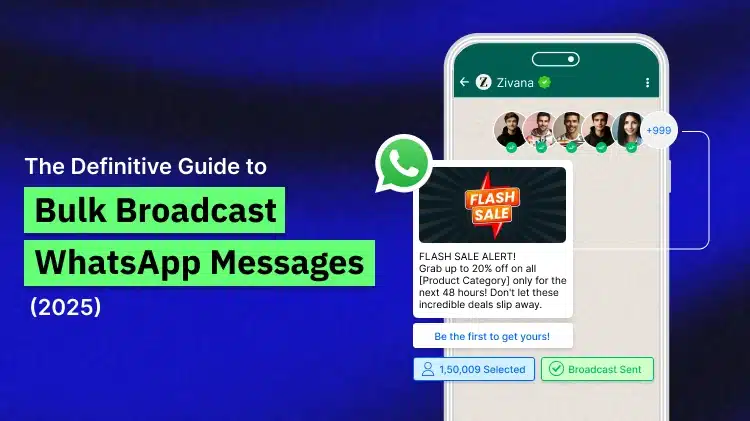
Consider you are going to launch a new product promotion offer or want to communicate your fresh seasonal offer to your mass volume of target audience. Sending messages to your audience individually is a big pain. Yes, it is very much impossible for a growing and mid-size business. So, the use of Bulk broadcast WhatsApp messages is important here.
Bulk messaging solves this by reaching out hundreds of customers contacts instantly, while keeping every conversation special.
This guide explains the insides of sending bulk WhatsApp messages, adding their types, uses, and strategies for optimizing business effect.
Let us see how this Bulk broadcast WhatsApp messages works further in upcoming sections of this blog article.
- What are Bulk WhatsApp Messages?
- Tips for Writing High-conversion WhatsApp Broadcast Template
- Stepwise Launching of Bulk Campaigns
- WhatsApp Bulk Messaging Limits and Quality Restrictions (Limits)
- Free vs Paid Methods: Which Is Best for Use?
- When to Upgrade to WhatsApp Business API
- Conclusion
- Frequently Asked Questions
What Are Bulk WhatsApp Messages?
Bulk WhatsApp messages allow businesses to send the same message to various contacts at an instance, without initiating a group chat. Each person gets the same message as a personal, in one-on-one chat, also keeping replies- individual and organized.
When you deliver a bulk message, it covers as a direct chat from your business. Recipients may reply personally, and their responses cover up in a separate chat.
This makes it simple to retain privacy while upgrading the communication.
How to Send Bulk Messages on WhatsApp for Free?
If you are a business looking to communicate to your customers without using a software, the WhatsApp Business App gives you the easiest way to send bulk messages via broadcast lists.
Method 1: Broadcast Lists on WhatsApp Business App
A broadcast list enables you to send a message up to 256 contacts in one go. As earlier mentioned, every recipient gets it as a private message, not in a group.
Check how you can make one:
- Open the WhatsApp Business App.
- Click on the 3 dots in the top-right corner.
- Make a “New broadcast.”
- Select up to 256 contacts from your list.
- Type your message and hit Send.
To avoid spamming, WhatsApp has a safety policy of Opt-in contacts (those only will get your message, who have your number saved with them.)
Method 2: Using WhatsApp Web
In case if you wish to work on your PC or laptop, you can use the WhatsApp Web version. All WhatsApp features are available on this web version, as well.
Let us refer stepwise how it works:
- Log in to WhatsApp web on your computer
- Click the 3 dots inside your profile
- Select “New broadcast,”
- Add your contacts and send your message.
- The same 256-contact limit is there, but it’s easy to draft longer or formatted messages from a keyboard.
Need to reach thousands contacts instantly?
Use WebMaxy’s bulk whatsapp sender for smooth bulk WhatsApp broadcast
How Much You Can Use Free Broadcasts?
Using Broadcast feature for basic communication has got limits as per mentioned below:
- You can only send to 256 contacts for a list.
- There’s no automation or scheduling option.
- Analytics are less, showing delivery and read receipts only.
- Recipients should save your number to get your messages.
If your customer list has more in size exceeding these limits or you want automation, and analytics with personalization feature, the next step is to use WhatsApp Business API via a provider like WebMaxy.
When to Use Free Broadcast Lists
If you have less than 256 contacts, deliver occasional updates, and can track replies manually, the free broadcast feature can do all these things.
It works well for small sized businesses just as local restaurants, salons, or trainers who wish to share easy reminders, offers, or community updates.
Tips for Writing High-conversion WhatsApp Broadcast Template
To get the desired results from your WhatsApp broadcast campaigns, you must be aware about the best practices for writing high-conversion WhatsApp Broadcast templates. Refer these below given tips in detail:
1. Individualised Approach
You need to use the recipients’ names and other details to personalize messages and compose them relevant to the receiver more.
2. Clear and Specific Messages
WhatsApp broadcast messages must be short and described to the point. The message must convey the objective behind it and the action it expects the receiver to take upon referring the same.
3. Engaging and Powerful CTA
Every CTA we write must be to the point, clear and action-expected for the user, to move to take the required action by referring the message. So accordingly, The Call-To-Action must reflect the same. As a matter of fact, CTA must define the further course of action.
4. Sense of Promptness
You can boost the effectiveness of the broadcast message by developing a sense of urgency or using FOMO to prompt action from the customers. Deals, limited-time offers, special limited-time sales etc. are all effective at pushing of quick action.
5. Clear Value Proposition
The value coming with benefits containing the message should be clearly stated. That is the numbers or other information providing customers with some kind of value require to be highlighted in the message.
6. Add Visual Appeal
Use formatting, emojis, images etc. to make the WhatsApp broadcast message template graphically appealing to its receivers.
7. Voice Tone and Language
While developing the messages clear and informative, the voice tone and the language being used must be interactional and friendly for better resonate with the receiver. The brand voice must reflect in the message.
8. Timing and Frequency
Stay away from sending messages at improper times. Try to send messages when almost all users are active. Your messaging frequency must be reasonable, not to fall under spam category.
9. Testing & Refining Templates
You can A/B test many versions of the WhatsApp broadcast template to check which version gets best conversion rates and engagement. Use analytics to refine templates for ultimate performance.
10. Compliance Assurance
Be assured that your WhatsApp broadcast messages comply with WhatsApp Privacy and Data policies, guidelines. All Messages must follow GDPR regulatory guidelines.
How to Send Bulk WhatsApp Messages with WhatsApp Business API
For contacts more than two hundred, it is preferred to use WhatsApp Business API for sending bulk WhatsApp messages. It is specifically made for teams wishing to upgrade, go for automation and get visibility.
Let us unfold bulk messaging with WhatsApp Business API further.
WhatsApp Business API for Bulk Messaging
The WhatsApp Business API allows you to do what the WhatsApp app can’t:
- Send Message to thousands of customers at an instance
- Automate replies and planned sends
- Align conversations with your CRM
- Track real-time metrics like delivery and read rates
The fact is that WhatsApp API can not be used directly. It’s available via official providers like Meta’s Cloud API or WebMaxy.
WebMaxy is designed with user-oriented dashboards, drag-and-drop tools, and no-code chatbot builders making easy marketing communications.
Stepwise Launching of Bulk Campaigns
1. Upload Your Contact List
Import your contact list (CSV) and organize it by bellow factors:
- Location / region
- Purchase history
- Preferences or interests
- Customer lifecycle stage
- Level of engagement
- Relevant messages perform better than common draft sends.
2. Make Your Message Template
Make a clear, engaging message matching with your campaign objectives. Select from:
- Pre-approved templates with WebMaxy
- Customized templates (needs WhatsApp approval)
- Transactional status alerts
- Promotional offers
- Reminders for service
3. Personalize with Dynamic Fields
Make each message distinct with additions of fields such as:
- {{1}} = Customer Name
- {{2}} = City or Location
- {{3}} = Date or Appointment Time
For example: “Hi {{1}}, we’ve got a special offer for our customers in {{2}} this weekend!”
4. Schedule and Send
Select when to deliver your campaign: instantly or at a certain time, based on your audience’s time zones. WebMaxy allows simple scheduling so you can connect with customers when they’re highly active.
5. Track Performance
Track real-time parameters including:
- Delivery rate
- Read rate
- Response rate
- Click-through rate (for links)
- Conversion tracking
Use these parameters to filter or improve future campaigns.
WhatsApp Bulk Messaging Limits and Quality Restrictions (Limits)
WhatsApp uses a tiered structure to limit the number of users you can contact every day. These restrictions are in place to safeguard users from spam and to reward accounts those showing high engagement and compliance. Let us explore what are WhatsApp Bulk Messaging Limits first.
Messaging limits are nothing but the maximum number of conversations you have started via your WhatsApp Business number with a WhatsApp user within a 24 hours’ time frame. In WhatsApp platform, this limit is set across a tier system. All fresh accounts start at tier 1 upon the completion of their verification process. The tire will be upgraded to the next tier upon satisfied quality and volume of the messages. On the other side, the tier will be downgraded also in case of many messages are blocked or restricted by the recipients of the messages.
Let us find here the overall Messaging tiers available.
Quality rating
Quality rating of your messages is classified with 3 below categories. It is very much defined to know the messaging quality with this parameter.
Quality rating categories:
- Green: High quality
- Yellow: Medium quality
- Red: Low quality
It is very important to note below thing here concerned to Quality rating:
In case if your quality rating becomes low, you will get an email notification. Your account will be marked as Flagged account in your Business Manager. Due to this status, you are unable to upgrade to the next messaging limits tier.
In the other case, If the message quality enhances and retains a high or medium state for seven continuous days, your will get the Connected status again.
Quality rating is not yet improving, then the status will be connected only, but your position will be in the lower messaging limit tier.
Messaging Tiers for WhatsApp Business API
Every WhatsApp Business API account falls within 4 tiers:
Tier 1: 1,000 unique users / day
Tier 2: 10,000 unique users / day
Tier 3: 100,000 unique users / day
Tier 4: Daily unlimited messaging
Your account automatically scales tiers as far as your quality rating remains high and you have regular messaging activity going on. The more is your engagement, the better is your reach.
WhatsApp API Bulk Sending: Knowing Message Limits by Method
Refer here the clearly mentioned methods applicable to the WhatsApp messaging limits. It is entirely depending upon numbers of contacts available to message via WhatsApp platform.
| Method | Contact Limit | Rate Limit | Cost |
| WhatsApp Business App | 256 per broadcast | No official limit | Free |
| WhatsApp Business API (New Account) | Starts at 1,000/day | Improves with quality rating | Varies by provider |
| WhatsApp Business API (Old / Established) | May reach 100,000+/day | Based on the messaging tier | Varies by provider |
How to Maintain Your Account Position?
By considering above sections of messaging limit tiers and quality rating rules or policies by WhatsApp, it becomes essential to keep your WhatsApp Business account healthy or in good position. Else your WhatsApp Business account will be downgraded more and more due to very less reponses from your recipient’s. Obviously, you need to take certain steps to do the same. We are listing out these steps here for your convenience.
Take below action steps,To keep your account in good position:
- Send messages to opt-in users only
- Skip repetitive or irrelevant broadcasts
- Personalize your communication wherever possible
- Keep block rates below 2%
- Space out campaigns to prevent sudden spikes
Power Up your Whatsapp Broadcast
Automate your outreach with our Whatsapp Bulk Message sender
Free vs Paid Methods: Which Is Best for Use?
The WhatsApp Business App as well as WhatsApp Business API help you send bulk messages. The deviation is in scale, control, and automation.
| Feature | WhatsApp Business API (Paid) | WhatsApp Business App (Free) |
| Contact Limit | Unlimited (based on tier) | 256 per broadcast |
| Cost | Varies (conversation-based pricing) | Free |
| Scheduling | Yes | No |
| Automation | Advanced | Limited |
| Analytics | Comprehensive metrics | Basic delivery stats |
| Personalisation | Dynamic fields | Manual only |
| Team Access | Multiple users | Single device |
| CRM Integration | Yes | No |
| Message Templates | Required for marketing | Not required |
| Best For | Medium to large businesses | Small businesses, local shops |
When to Upgrade to WhatsApp Business API
As per your business growth with time or if you have decided to go with the automation feature with analytics, and access for your teammates, so the WhatsApp Business API becomes vital.
It’s best for e-commerce brands, education providers, healthcare networks, and service companies managing hundreds of daily interactions and want assured delivery.
1. Considerations Before Upgradation
- Cost: The API has related costs, though the Cloud API is mostly more economical than the On-Premises API.
- Approval process: There is an approval process involved in set up of the API.
- Technical complexity: Upgrading needs technical resources for set up and management of the integration.
2. Essential Reasons for Upgradation of API
- High messaging volume: Your team is juggling to handle or cater with the hundreds of customer inquiries getting on daily basis, and the basic Business App is no longer enough.
- Automation need: You wish to automate repetitive tasks i.e. sending appointment reminders or answering frequently asked questions to release your team and improve reply time.
- System integration: You need to join WhatsApp to another business software, like a CRM, for a common workflow and to manage your customer data smoothly.
- Scalability and 24/7 support: Your customer base are growing on the global level, and you need the structure to handle more messages and give customer support 24 X 7 with automated chatbots.
- Hi-class features: You want to use more latest features like tough customer journey automation, entire analytics, and pre-approved messaging templates for compliance, specifically in regulated industries like finance or healthcare.
- Enterprise-level security: Your business caters sensitive information and requires the improved security and compliance standards that the API offers for large-scale communication.
Master Marketing at Scale
Send your bulk campaign via our bulk whatsapp sender
Conclusion
WhatsApp Broadcast is one of WhatsApp’s more efficient features as it can support businesses to reach a larger audience smoothly. For best results and optimum benefits of WhatsApp broadcast is to use automation and work properly on the messaging limits. A good WhatsApp Business API solution provider like WebMaxy can guide you in this. With WebMaxy platform, you can automate your WhatsApp broadcast messages and share engaging messages to customers at big scale.
WebMaxy makes bulk broadcasting easy. It caters all from contact management to campaign analytics. You can make, schedule, personalise, and track campaigns all in one place, without technical fuzz.
Book a demo with WebMaxy to check how bulk WhatsApp messaging may transform your customer communication and drive measurable business results. For more details, you can send an email to: info@webmaxy.co
Frequently Asked Questions
WhatsApp Broadcast feature of WebMaxy is built on the WhatsApp Business API. It offers a professional one-way communication channel with features such as scalability, personalization, and analytics, and regular WhatsApp group messages are made for casual two-way interaction with restricted control and privacy.
Yes, you may send bulk WhatsApp messages to unsaved contacts using the WhatsApp Business API or third-party tools, which are made for large-scale communication. Standard WhatsApp broadcast lists require recipients to have your number saved, so using the WhatsApp API or a service built on it is required to bypass this.
Yes, you can automate WhatsApp broadcast scheduling and follow-ups using the WhatsApp Business API and third-party tools. As the regular WhatsApp Business app has limited automation (welcome/away messages), WhatsApp API solutions allow for more advanced features i.e. scheduling broadcasts, segmenting contacts, and setting up of automated follow-up flows based on conditions.

Adam Wilson
Adam Wilson comes with an experience of 12+ years in the IT industry. As a Customer Success Manager, he has been researching and trying to understand the customers’ behavior in different scenarios. He has also studied human psychology to relate it to the purchase journey of the customers. His published books on customer psychology and behavior have received many honors and awards from various enterprises.