The 2026 Blueprint to Unban WhatsApp Number Faster
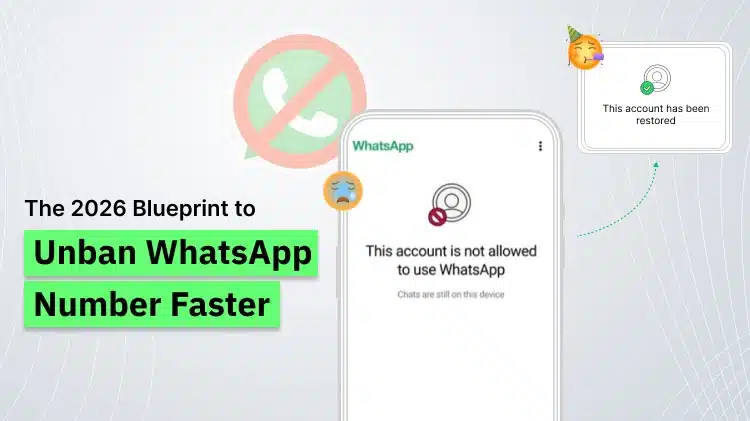
Banning of your WhatsApp number is miserable today. Not only you can miss your favourite chats with near and dear ones, but you are afraid of losing many important offers, updates, alerts from various service providers and product selling companies apart from your daily needs. How to unban WhatsApp number is the biggest worry in this case.
The world stops, if you are OFF from WhatsApp now.
Specially for a business number, it is completely like losing a battle with your business competitors as well as the latest business development’s part from giving valued updates to your associates and customers, target audiences as well.
For businesses using the WhatsApp Business API, the damage is much on higher side, a banned WhatsApp number will make the relative marketing, support, and automation to an ‘idle’ stage.
To mitigate this challenge, one can take certain steps as well as to work on the root cause of ban. So, one need not to go for another number for a brand-new account.
In this entire 2026 guide we have included everything you need to know about how to unban WhatsApp number accounts, how to unban WhatsApp API numbers, and how to avoid bans in the future.
First, let us know how the banning of WhatsApp number happens.
When WhatsApp bans a number, it prevents that account from the usage of the platform. This may happen to:
- Regular WhatsApp users
- WhatsApp Business App users
- WhatsApp Business API users
For businesses which are using WhatsApp as their primary communication channel, these bans can be destroying.
Typical ban messages are as following:
“Your phone number is banned from using WhatsApp.”
“This account is not allowed to use WhatsApp.”
There are 2 main types of Bans:
- Temporary Ban: The blocked number may be restored automatically following a waiting period.
- Permanent Ban: WhatsApp blocks the number permanently till a right appeal is sent.
- Common Reasons of Banning WhatsApp Numbers
- Stepwise Guide on How to Unban WhatsApp Number
- How to Unban WhatsApp API Numbers (Business Accounts)
- Temporary Ban vs Permanent Ban
- Difference Between Regular WhatsApp Ban Vs WhatsApp API Ban
- Best Practices to Avoid Banning
- How WebMaxy Helps to Unban WhatsApp Number?
- Conclusion
- Frequently Asked Questions
Common Reasons of Banning WhatsApp Numbers
Knowing why your number was banned is the first step to unban WhatsApp number accounts easily.
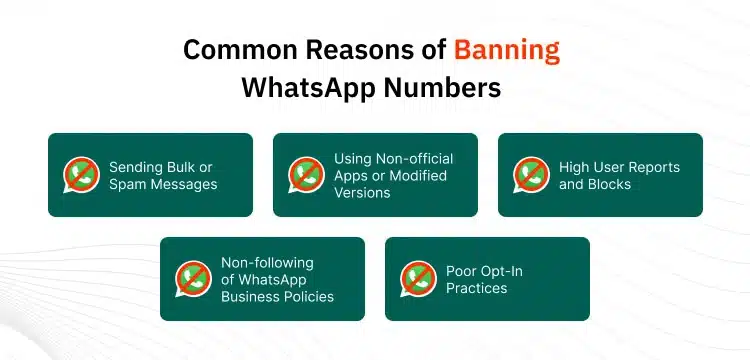
1. Sending Bulk or Spam Messages
One of the most common reasons is sending bulk or spam messages. WhatsApp immediately blocks accounts that send:
- Mass unsolicited broadcasts
- Repetitive promotional messages
- Messages copied and pasted to large user lists
If users report your messages or block your number, your ban risk raises remarkably.
2. Using Non-official Apps or Modified Versions
Another main reason for WhatsApp bans is the use of unofficial or modified apps like as GB WhatsApp or other altered versions of the platform. These apps breaks WhatsApp’s terms and mostly lead to instant bans.
3. High User Reports and Blocks
High volumes of user reports and blocks also raise the banning chances. In case most of the users:
- Block your number
- Report you as spam
- Mark your messages – ‘unwanted’
WhatsApp’s system can automatically ban your account.
4. Non-following of WhatsApp Business Policies
For business accounts, breaking WhatsApp Business and Commerce policies is a common cause of bans. This can add:
- Sending confusing content
- Promoting restricted/ banned products
- Using deceptive clickbait messages
5. Poor Opt-In Practices
WhatsApp messaging needs fair user consent. If users are not agreeing to receive your messages anymore, WhatsApp treats it as spam.
Learn how to unban WhatsApp number accounts with our framework
Make your WhatsApp number safe from future blocks with us
Check Your WhatsApp Number Is Banned or not?
Before referring the appealing process, check the ban status.
Try below steps:
- Insert your SIM into another device and install WhatsApp again
- Verify your number again via OTP
- Confirm if you see an official ban message
- If verification fails with a ban notice, your number is likely restricted.
Stepwise Guide on How to Unban WhatsApp Number
Follow these given precise steps to maximize your chances of getting unbanned.
Step 1: Stop Any Rule-Breaking Activity Instantly
Before going for an appeal to unban WhatsApp number, you must fully prevent any behaviour that will directly take to the ban. WhatsApp carefully reviews latest activity before reviewing appeals and continued breaches can permanently damage your recovery plans and efforts.
You must immediately:
- Stop sending bulk messages
- Uninstall any non-official WhatsApp apps
- Remove unauthorized automation tools
This shows WhatsApp that you’re following the compliance.
Step 2: Use the Official In-App Appeal
If you check the “Request a Review” option in the app:
- Open WhatsApp
- Tap on “Support” or “Request a Review”
- Explain brief and clear so that, you believe the ban is a mistake or that you’ve revised the behaviour.
Be true. No argument. No warning to give.
A sample message:
“Hello Team,
I know I may have violated WhatsApp policies without any intentions. I have stopped all bulk messaging and uninstalled third-party tools. I kindly request a review of my account. Thanks.”
Step 3: Use the Official WhatsApp Support Page
If official appeal isn’t available, use WhatsApp’s official support page to post your request: https://faq.whatsapp.com/473456989021.
This page is your highly reliable external method to unban WhatsApp number and works for most unban WhatsApp API appeals.
You should Provide:
- Your full phone number in international format
- A clear and lean explanation of the scenario
- Proof that you’ve solved the issue
If possible, include proof like:
- Screenshots showing you removed unofficial apps
- Evidence of user opt-in
- Confirmation that automation tools were disconnected
This official page is your most trusted path to unban WhatsApp number cases.
Step 4: Waiting for Response by WhatsApp
After posting your appeal, it’s important to be patient. WhatsApp handles a high volume of account review requests and reply – times can vary based on the type of ban.
Here’s what you can really expect in 2026:
- Temporary bans: Usually resolved in 24–72 hours
- Permanent bans: May take 3–7 business days
- WhatsApp API reviews: Normally take 5–10 business days
While waiting, do not:
- Submit multiple appeals
- Spam WhatsApp support with follow-up emails
- Try to make new accounts with the same number
Submitting repeated requests can slow down your case and drop down your chances to successfully unban WhatsApp number or unban WhatsApp API accounts.
Patience, fair compliance, and professional communication remarkably improve your success rate.
Stop juggling with a banned WhatsApp number
Make secure WhatsApp API for your business
How to Unban WhatsApp API Numbers (Business Accounts)
If your business number is banned on the WhatsApp API, the exact process to unban WhatsApp API access is more designed and involves both WhatsApp and your official Business Solution Provider (BSP).
Step 1: Contact Your Business Solution Provider (BSP)
Your service provider or your BSP is the bridge between you and WhatsApp.
Your BSP may:
- Review your ban reason
- Post an internal appeal on your behalf
- Guide you on how to fix policy breaches
Step 2: Review Message Templates
WhatsApp may ban API numbers of accounts because their message templates break WhatsApp’s content policies.
WhatsApp often highlights templates including:
- Aggressive language for Sales
- Misleading discount offers
- False urgency (“Buy now or lose your spot”)
- Skipping opt-in context
What you must do:
- Edit current templates to make them more interactive and compliant
- Remove exaggerated claims
- Add context about why the user is getting the message
- Resubmit the templates for approval purpose
Pure templates are one of the strongest signals when trying to unban WhatsApp API accounts.
Step 3: Give Opt-In Proof
WhatsApp mostly asks for proof that users consented to get messages.
This may include:
- Website opt-in screenshots
- Timestamped user permissions
- CRM records
The stronger your opt-in documents, the maximum the chance to unban WhatsApp API successfully.
Step 4: Appeal Via WhatsApp Business Manager
Your BSP will handle the official submission via WhatsApp Business Manager.
- What caused the breach
- What has been permanently fixed
- How you’ll prevent future breaches
- Why your business is now compliant
Once WhatsApp check out this appeal and confirms for the compliance, your WhatsApp API number will be restored back.
Temporary Ban vs Permanent Ban
All bans are not equal. To know whether your account has a temporary ban or a permanent ban is important to set real expectations about how you can easily unban WhatsApp number or unban WhatsApp API access.
1. Temporary Bans: Easy to Recover
Temporary bans are active when WhatsApp finds uneven / suspicious short-term behaviour. These bans are made to slow down harmful actions and does not mean permanent blockage for your account.
Common situations leading to temporary bans include:
- Sending bulk WhatsApp messages without confirmed user opt-in
- First-time policy violations, where WhatsApp treats this as a warning
- Accidental user reports, when a few users by mistake, mark your messages as spam
Why recovery is easy:
Temporary bans mostly come with a visible countdown timer inside the app. Once the timer expires, your account may be automatically restored — especially if you stop the behaviour that leaded to the ban.
If required, you can also post a review request to support unban WhatsApp number fast.
2. Permanent Bans
Permanent bans are critical and are usually used when WhatsApp gets repeated or serious breaches of its policies.
The very common causes of permanent bans have:
- Repetitive spam behaviour, like sending unsolicited messages
- Use of illegal / restricted content, having prohibited products or deceptive schemes
- Ignoring multiple prior warnings, where WhatsApp has already restricted or flagged your account earlier.
Why recovery is difficult:
WhatsApp treats permanent bans as high-risk breaches. Your appeal must display clear responsibility, correction and future compliance.
Anyhow, it’s important to note that you can still unban WhatsApp number accounts in some fixed ban cases, certainly when you can prove the breach was unintentional or caused by third-party tools.
Can You Still Reinstate from a Permanent Ban?
In various cases, reinstation is possible, but only if you show serious corrective try.
WhatsApp looks for signs like:
- Removal of all non-official apps and automation tools
- Use opt-in practices for contacts
- Revise message templates (for business/API users)
- A clear written explanation accepting the mistake
For businesses, working with an official service provider is the most trusted path to unban WhatsApp API numbers upon a permanent ban.
How Much Time Does It Take to Unban a WhatsApp Number?
Here’s a real timeline for 2026:
- Temporary ban: 24 – 72 hours
- Permanent ban: 3 – 7 business days
- WhatsApp API ban: 5 – 10 business days
There is no fixed timeline, but proper documentation improves the process.
Difference Between Regular WhatsApp Ban Vs WhatsApp API Ban
This is very important difference to know before you go for unbanning your account. Let us consider the same on feature basis given below:
| Feature | Regular WhatsApp Ban | WhatsApp API Ban |
| Affects | Personal numbers & WhatsApp Business App | Business numbers using the WhatsApp Business API |
| Primary Appeal Method | In-app Request a Review / support form | Via Business Solution Provider (BSP) and WhatsApp Business Manager |
| Recovery Speed | Low to moderate (mostly 24–72 hours for temporary bans) | Moderate to fast when BSP amplifies (typically 5–10 business days for API reviews) |
| Common Causes | Use of unofficial apps, user reports, bulk messaging | Policy violations in templates, poor opt-ins, high complaint rates |
| Risk of Re-ban | High without behaviour changes | High without process and compliance improvements |
| Best First Step | Stop breaching activity and submit in-app appeal | Contact your BSP for an audit and appeal |
Keep your WhatsApp number safe and active with WebMaxy
Recover your banned number & switch to a compliant solution
Best Practices to Avoid Banning
After you unban WhatsApp number access, prevention becomes vital.
1. Use Proper Opt-Ins
Always make sure for:
- Users actively consent
- Opt-ins are clear and recorded
- You’re transparent about what messages they’ll get
2. Control Message Frequency
Send messages:
- At reasonable time spans
- During right business hours
- Without repetitive / aggressive CTAs
3. Use Only Official Tools
Never risk your account with:
- Uneven automation software
- Browser-based bot extensions
- Modified WhatsApp clients
- Stick to verified API providers.
4. Follow WhatsApp’s Policies
Regularly review WhatsApp’s:
- Business Messaging Policy
- Commerce Policy
- Terms of Service
This really reduces your future risk of getting banned.
When to Get Professional Help
If your business depends mainly on WhatsApp, think about working with an official BSP.
A capable BSP can:
- Audit your messaging flows
- Enhance template approvals
- Make compliant opt-in journeys
- Handle appeals properly
This significantly improves your success rate.
Get benefits of WhatsApp Automation with WhatsApp API
Save human efforts & time with Automation
Final Checklist to Unban WhatsApp Number
Before final posting of your appeal, ensure you’ve:
- Removed unofficial apps
- Prevented bulk messaging
- Fixed opt-in processes
- Reviewed and corrected templates
- Collected proof of compliance
Having these things ready, will increase your chances to unban WhatsApp number accounts.
How WebMaxy Helps to Unban WhatsApp Number?
WebMaxy acts as a strategic partner to help you browse the appeal process and, more importantly, make sure that you don’t get banned again by using the Official WhatsApp Business API.
How WebMaxy Helps with WhatsApp Bans?
1. Navigating the Appeal Process
If your number is banned while using WebMaxy, their support team provide the framework to appeal in the right way:
- Official Review Guidance: They guide you via the “Request a Review” process within the app or via the official WhatsApp support portal.
- Compliance Audit: WebMaxy helps find why you were banned (e.g., highest report rates, spammy templates, or unauthorized automation) so your appeal can show that you have corrected these issues.
- Professional Templates: They provide proven appeal message structures that are lean and concise, increasing the prospects of a human reviewer approving the request.
2. Prevention via Official API (The Core Solution)
Most bans happen because users use “unofficial” tools (like GB WhatsApp) or automation scripts. WebMaxy prevents this by:
- Official Business API Provider: They offer access to the official API, which is sanctioned by Meta. Accounts on the API are remarkably less likely to be banned than personal / standard business app accounts.
- Template Approval: All promotional messages must be pre-approved by Meta. This makes sure that your content never violates WhatsApp’s “Commerce Policy.”
- Opt-in Management: WebMaxy tools makes sure that you only message users who have given consent, reducing the “Report/Block” rate – the priority cause of bans.
3. Smart Automation
- Rate Limiting: WebMaxy’s system stops you from sending too many messages too fast, which triggers WhatsApp’s “Anti-Spam” algorithms.
- Green Tick Help: They help legit businesses apply for the Official Green Tick, which makes trust and further protects the account from being marked as “Spam.”
Conclusion
Most importantly, WebMaxy does not just help you fix a ban. It supports you prevent future bans by making sure that your messaging strategy is fully aligned with WhatsApp’s rules.
If your business needs long-term stability, fast recoveries, and zero-risk scaling on WhatsApp, you can prefer WebMaxy.
For more clarifications and information on unbanning your WhatsApp number, mail us at: info@webmaxy.co
Frequently Asked Questions

Adam Wilson
Adam Wilson comes with an experience of 12+ years in the IT industry. As a Customer Success Manager, he has been researching and trying to understand the customers’ behavior in different scenarios. He has also studied human psychology to relate it to the purchase journey of the customers. His published books on customer psychology and behavior have received many honors and awards from various enterprises.